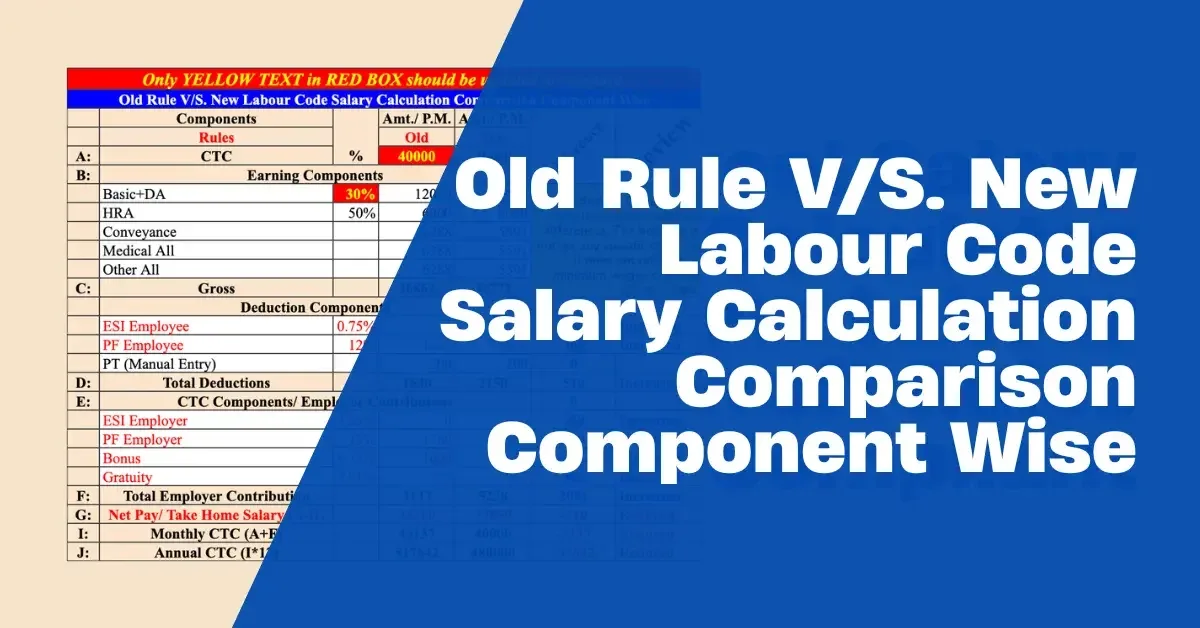
Old vs New Salary Comparison Calculator | Excel
Compare old vs new salary calculations in Excel, including CTC, PF, ESI, bonus, gratuity, deductions, Net Pay and employer cost, with automatic difference and impact analysis.
You save ₹50
🔒 Secure payment via Razorpay · Instant digital delivery
- 🔒 Secure Razorpay checkout
- ✅ Instant download after payment
- 📧 Download link also sent to email
- ⬇️ 72-hour · 3 downloads link validity
What's Inside
- See Exactly What Changes Under the New Calculation - Compare the same salary structure under Old and New calculations and immediately identify how each component changes.
- Compare Employee Take-Home Pay - See the impact on employee PF, ESI, Professional Tax, total deductions and final Net Pay.
- Measure Employer Cost Impact - Compare employer PF, ESI, statutory bonus, gratuity and overall CTC to understand whether the new calculation increases or reduces employer cost.
- Automatic Difference & Impact View - The calculator shows the difference between Old and New calculations, helping you quickly identify which components have increased or reduced.
- Compare the Complete Salary Structure - Review the impact across CTC, Basic + DA, HRA, Conveyance, Medical Allowance, Gross Salary, employer contributions, employee deductions, Net Pay and CTC.
- Understand the Impact Before Restructuring Salary - Use the comparison to evaluate how a proposed salary structure may affect both employee take-home and employer cost before making changes.
- Useful for HR, Payroll & C&B Decisions - Designed for salary restructuring, payroll review, compensation discussions, employee communication and analysing the financial impact of changing salary calculations.
- Work Directly in Excel - No separate software installation or payroll system required. Enter the relevant salary figures and use the workbook to compare the results.
About This Product
When salary calculation rules change, the most important question for HR and payroll is not simply “What is the new calculation?”
The real question is:
“What will actually change for the employee and the employer?”
A change in salary calculation can affect Basic + DA, PF, ESI, statutory bonus, gratuity, deductions, Net Pay and ultimately the total cost to the employer.
Calculating these differences manually can be time-consuming and makes it difficult to understand the overall impact.
The Old vs New Salary Comparison Calculator is designed to make this comparison easier.
Instead of calculating two salary structures separately and then comparing them manually, the Excel workbook provides an Old Calculation vs New Calculation view so you can see the resulting difference across key salary components.
What Can You Compare?
The calculator allows you to compare key components including:
-
CTC
-
Basic + DA
-
HRA
-
Conveyance
-
Medical Allowance
-
Gross Salary
-
Employer PF
-
Employer ESI
-
Statutory Bonus
-
Gratuity
-
Employee PF
-
Employee ESI
-
Professional Tax
-
Total Deductions
-
Net Pay
-
Monthly CTC
-
Annual CTC
See the Difference Automatically
The comparison is designed to make the impact easier to understand.
For the relevant components, you can see:
Old Calculation → New Calculation → Difference → Increased / Reduced
This makes it easier to identify where the salary structure has changed instead of comparing two sets of figures manually.
Understand Employee Impact
One of the most important questions during salary restructuring is:
Will the employee's take-home salary increase or decrease?
The calculator compares employee deductions and Net Pay so HR and payroll teams can understand the potential impact on take-home salary.
Understand Employer Cost Impact
Salary restructuring can also change the employer's cost.
The calculator allows comparison of employer-side components such as:
-
Employer PF
-
Employer ESI
-
Statutory Bonus
-
Gratuity
-
Overall CTC
This helps HR and management understand the financial impact before implementing a revised salary structure.
Useful for Salary Restructuring & Payroll Analysis
The calculator can be useful when you need to:
-
Compare an existing salary structure with a revised structure
-
Analyse the impact of changing salary calculations
-
Understand changes in employee take-home pay
-
Compare employer contribution and cost
-
Review PF and ESI impact
-
Analyse bonus and gratuity impact
-
Support salary restructuring discussions
-
Explain salary changes to employees
-
Prepare for payroll and compensation discussions
-
Evaluate the financial impact of a proposed salary structure
Who Is It For?
This Excel calculator is particularly useful for:
-
HR Professionals
-
Payroll Professionals
-
HR Managers
-
Payroll Managers
-
Compensation & Benefits Professionals
-
HR Executives
-
Payroll Executives
-
HR Consultants
-
Payroll Consultants
-
Business Owners
-
Employers
-
SMEs
What You Receive
You receive the Old vs New Salary Comparison Calculator Excel workbook for comparing salary calculations and analysing the resulting differences.
This is an Excel-based salary comparison and analysis tool, not payroll software and not an automatic statutory filing or compliance system.
The calculator should be used with the applicable salary structure, employee details, state-specific requirements and current statutory provisions. Example/input values should be reviewed and replaced with the applicable figures before actual payroll use.